Best Batteries for Wireless Thermostats UK: Prevent Hive & Nest Signal Loss
Is your Hive, Nest, or Tado thermostat showing as "Offline"? For UK homeowners, the culprit is often the battery choice. Standard "heavy-duty" batteries struggle to penetrate thick masonry walls, leading to connection drops.
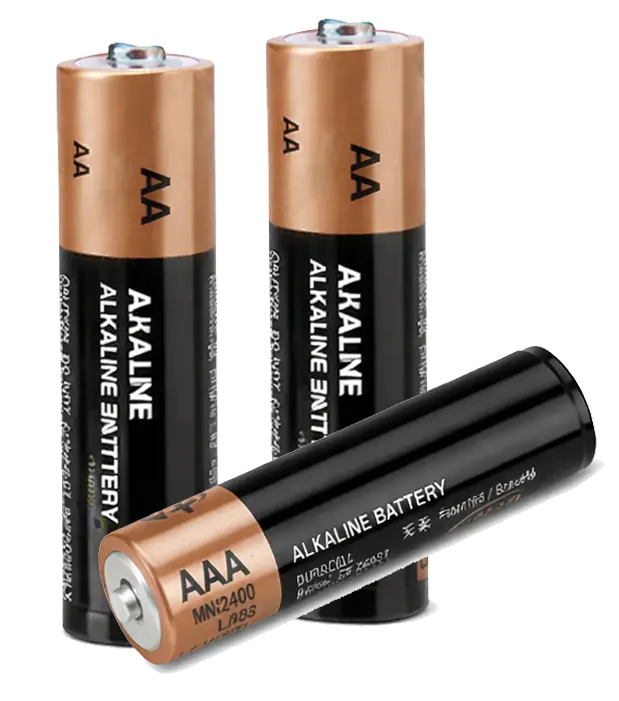
The Challenge of RF Transmission in UK Homes
Wireless thermostats in Britain face a unique hurdle: solid brick and stone walls. Unlike timber-framed homes, our masonry requires a strong Radio Frequency (RF) burst to communicate between the thermostat and the boiler receiver.
- Peak Demand: When your heating schedules trigger, the device requires a sudden surge of power to transmit the "on" signal.
- Voltage Stability: Smart screens and Wi-Fi chips need a steady 1.5V. If the voltage dips even slightly, the device may stay on but lose its internet connection.
- Longevity: Quality alkalines can last 12-24 months, whereas cheap alternatives may leak and destroy the delicate PCB inside your unit.
Common Battery Mistakes to Avoid
Using the wrong technology is the primary cause of "No Signal" or "Offline" errors on the Hive or Nest app.
Most rechargeables output 1.2V. Smart thermostats are calibrated for 1.5V, meaning they will flag a "Low Battery" warning immediately.
These are for low-drain devices like TV remotes. They cannot handle the high-drain bursts required for RF transmission.
Top Recommended Batteries for UK Systems
Spending an extra £2 on premium cells can prevent an £80–£100 emergency call-out fee when your heating fails on a cold morning.
| Recommended Brand | Best For | Key Benefit | Price Check |
|---|---|---|---|
| Duracell Optimum | Hive / Nest Gen 3 | High-density core for strong signal bursts | View on Amazon |
| Energizer Ultimate Lithium | Tado / Salus / cold hallways | Performs in sub-zero temperatures | Check Price |
| Varta Industrial Pro | Landlords / bulk use | Strong leak protection | View Price |
How to Replace Wireless Thermostat Batteries (Step by Step)
Modern wireless units like Hive and Nest are precision electronics housed in delicate plastic. Following a specific "cold-boot" sequence ensures the RF (Radio Frequency) hardware resets correctly, preventing persistent "No Signal" errors.
🛠️ What You Will Need:
- ✅ 4x high-drain AA/AAA alkalines
- ✅ Dry microfibre cloth
- ✅ Cotton buds (for cleaning)
- ✅ Small flat-head screwdriver (optional)
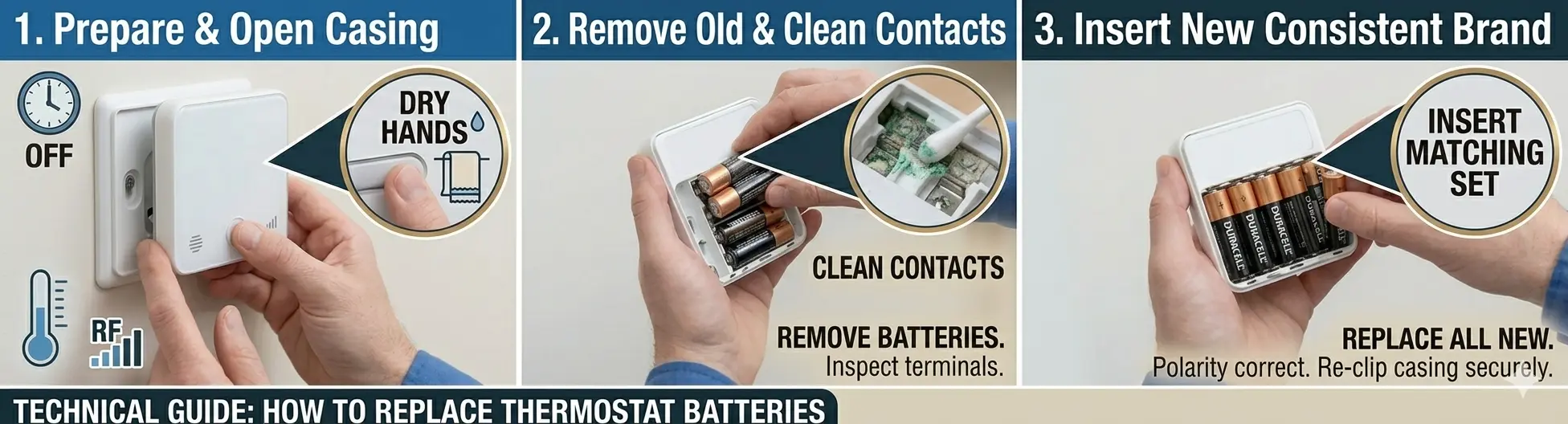
Fig 1: Follow the sequence to ensure your thermostat re-syncs with the boiler receiver.
1. Prepare and Open Casing
Ensure your hands are dry to prevent static discharge to the PCB. Most UK units (Hive/Salus) unclip by pressing a tab at the bottom. For Nest Gen 3, pull the display straight towards you. If it resists, check for a small retaining security screw at the base.
2. Remove Old Cells & Clean Contacts
Remove all old batteries. Inspect the spring terminals for a dull coating or white "fluff" (alkaline leakage). Use a dry cotton bud to gently buff the metal contacts. This reduces electrical resistance, which is vital for the high-power bursts required during RF transmission.
3. The 60-Second "Cold Boot" Reset
Leave the unit empty for at least 60 seconds. This allows the internal capacitors to fully discharge. Without this pause, the thermostat may keep "stale" error data in its memory, causing it to remain offline even with fresh power.
4. Insert a Matching High-Drain Set
Insert a fresh set of high-drain batteries (e.g., Duracell Optimum). Ensure the polarity (+/-) matches the diagram inside the housing. Clip the unit back onto the wall plate and wait 2 minutes for the "Signal" icon to stop flashing and turn solid. If it stays offline, our thermostat not working guide covers re-pairing.
💡 Expert Troubleshooting: Still Offline?
If fresh batteries don't restore the link, your thermostat and receiver have likely "de-synced."
- Manual Override: Check the receiver box next to your boiler. If the "Status" light is red, press and hold the central heating button until it flashes.
- Re-Pairing: Go to your thermostat's menu settings and select "Install" or "Link." This forces the handset to hunt for the boiler's signal.
- Check the boiler side: If re-pairing works but there's still no heat, the issue may be the boiler — see our boiler not firing up guide.
⚠️ Important: Never mix brands or old/new batteries. This causes "imbalanced discharge," which frequently leads to acid leaks that can permanently destroy your thermostat's motherboard.
Frequently Asked Questions
What batteries are best for a wireless thermostat?
Use good-quality high-drain 1.5V alkaline batteries such as Duracell Optimum or Varta Industrial Pro, or lithium cells like Energizer Ultimate Lithium for cold locations. Avoid rechargeables and zinc-carbon "heavy duty" cells, which cause low-battery and signal errors.
Why does my Hive or Nest thermostat keep going offline?
The most common cause is weak or wrong-type batteries. Wireless thermostats need a strong 1.5V burst to transmit through UK masonry walls, so if the voltage dips the device stays on but drops its connection. Fresh high-drain alkaline cells usually restore the signal.
Can I use rechargeable batteries in a smart thermostat?
It's not recommended. Most rechargeable NiMH cells output 1.2V rather than 1.5V, so the thermostat often flags a low-battery warning immediately and may not transmit reliably. Stick to 1.5V alkaline or lithium cells.
How long do wireless thermostat batteries last?
Good-quality alkaline batteries typically last 12 to 24 months in a wireless thermostat. Lithium cells can last longer, especially in cold hallways. Replace them once the device shows a low-battery icon rather than waiting for it to fail.
Can the wrong batteries damage my thermostat?
Yes. Cheap cells can leak and corrode the circuit board, and mixing old and new or different brands causes imbalanced discharge that increases the leak risk. Always fit a fresh, matching set of quality batteries.
My batteries are fresh but the thermostat is still offline. What now?
Check the receiver box by the boiler; if its status light is red, hold the heating button until it flashes, then re-pair the thermostat from its menu using the "link" or "install" option. If it still won't connect, see our thermostat not working guide — the fault may be in the wiring, receiver or boiler.