Thermostat Not Working? UK DIY Troubleshooting Guide
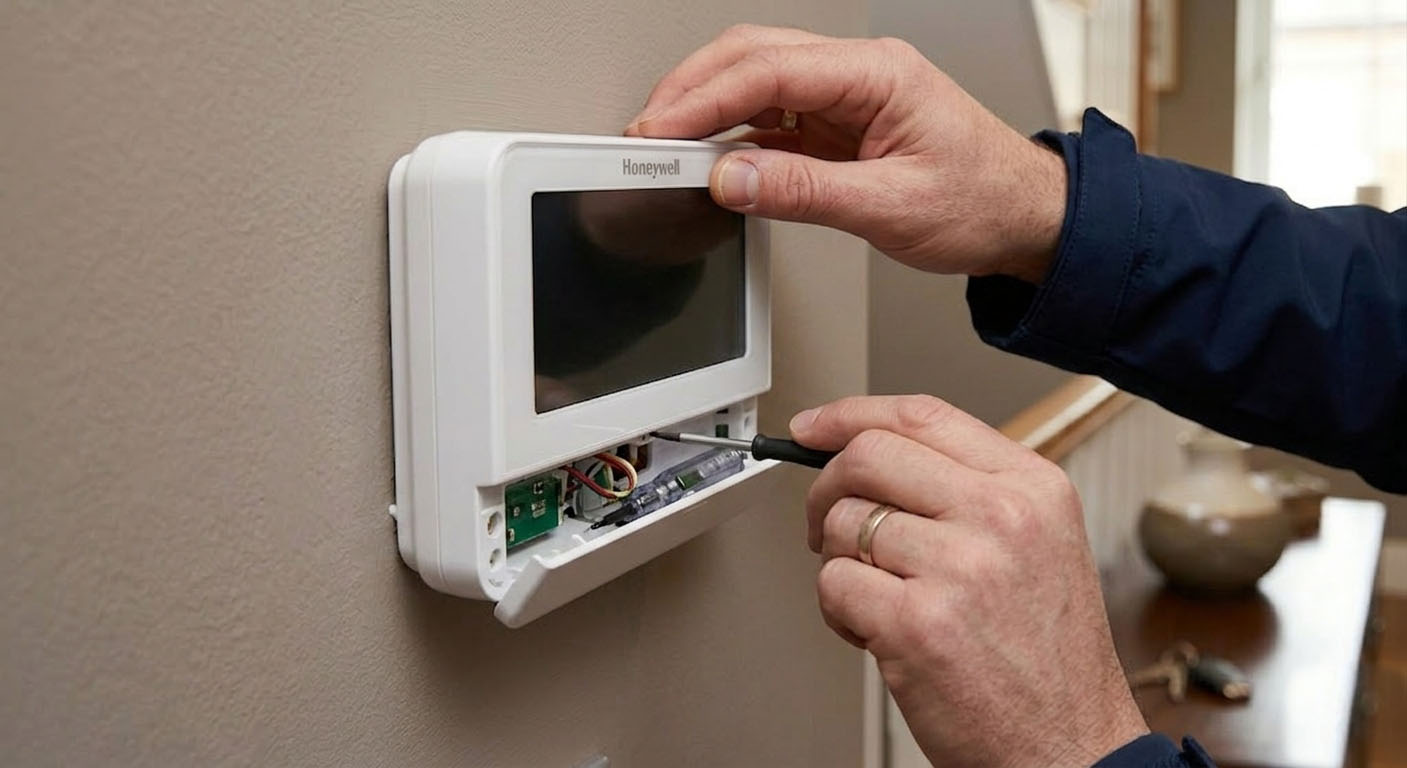
It is a common winter headache: you turn up the dial, but the heating stays off. Whether you have a traditional wired dial, a wireless RF unit like Honeywell or Salus, or a smart system like Hive or Nest, a non-responsive thermostat is the most common reason for a cold home.
Before paying for an emergency boiler call-out, most thermostat issues can be resolved with a few simple DIY checks. In the UK, these systems often fail due to signal loss, dead batteries, or "ghost" temperature readings.
Quick Navigation
1. Blank Screen: The #1 Silent Killer
If your thermostat screen is blank or the display is extremely faint, the heating will not trigger. A blank screen usually means the device has lost its "brain," preventing it from sending a demand for heat to your boiler.
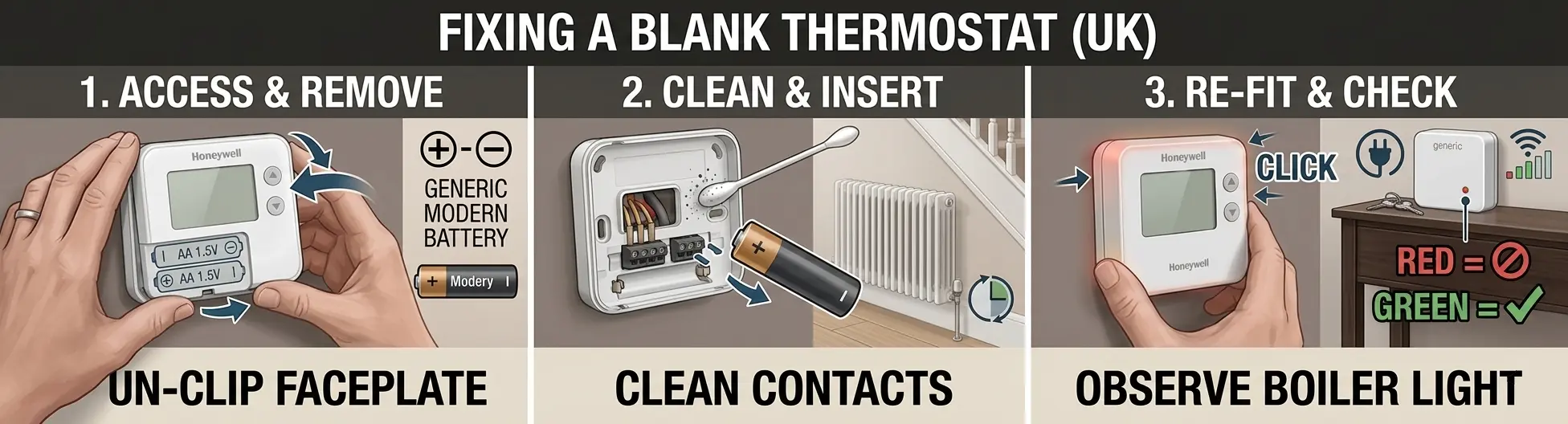
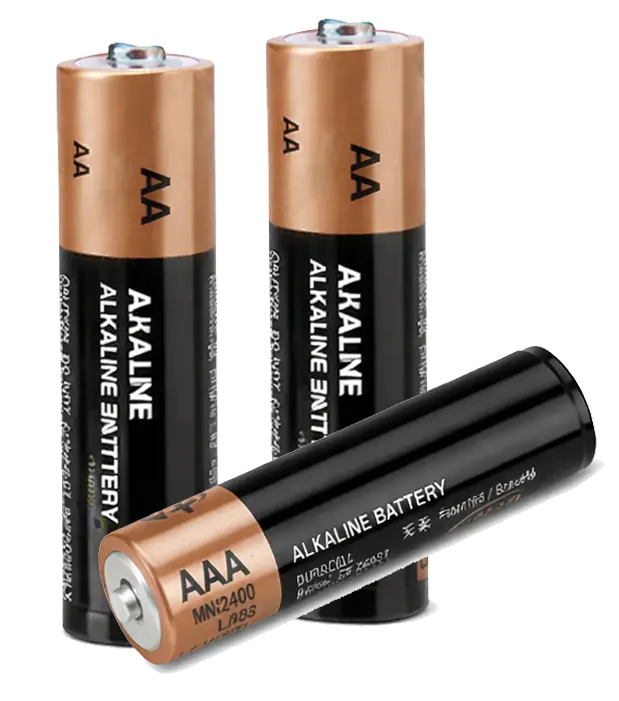
- Critical Battery Specifications: 90% of wireless UK thermostats run on AA or AAA batteries. Unlike a TV remote which uses low energy, a thermostat requires a high "burst" of current to transmit an RF (Radio Frequency) signal through UK brick walls. **Pro Tip:** Avoid rechargeable or 'Heavy Duty' zinc-carbon batteries; use only high-quality **Alkaline** batteries (like Duracell or Energizer) to ensure the signal remains strong enough to reach the boiler.
- The "Hard Reset" Method: If the screen remains blank after a battery change, the unit may have a "latched" error. Remove the batteries, wait for 60 seconds to allow the internal capacitors to fully discharge, and then re-insert them. This often forces a reboot of the firmware.
- The Consumer Unit (Fuse Box): If your thermostat is hardwired (no batteries) or the screen is on but the boiler isn't responding, check your fuse box. If the circuit labeled 'Heating' or 'Boiler' has tripped, the Receiver box (the unit wired directly to the boiler) will be dead. Without a powered receiver, your thermostat is talking to a brick wall.
- Check for Corrosion: Over time, battery leakages can cause a white crust on the metal terminals. Use a dry cotton bud to gently clean these contacts; a poor connection here will prevent even brand-new batteries from powering the unit properly.
2. The 'Click' Test: Mechanical vs. Electrical Faults
The "Click" test is the fastest way to determine if your heating failure is a simple DIY fix or if you need to call a Gas Safe registered engineer.
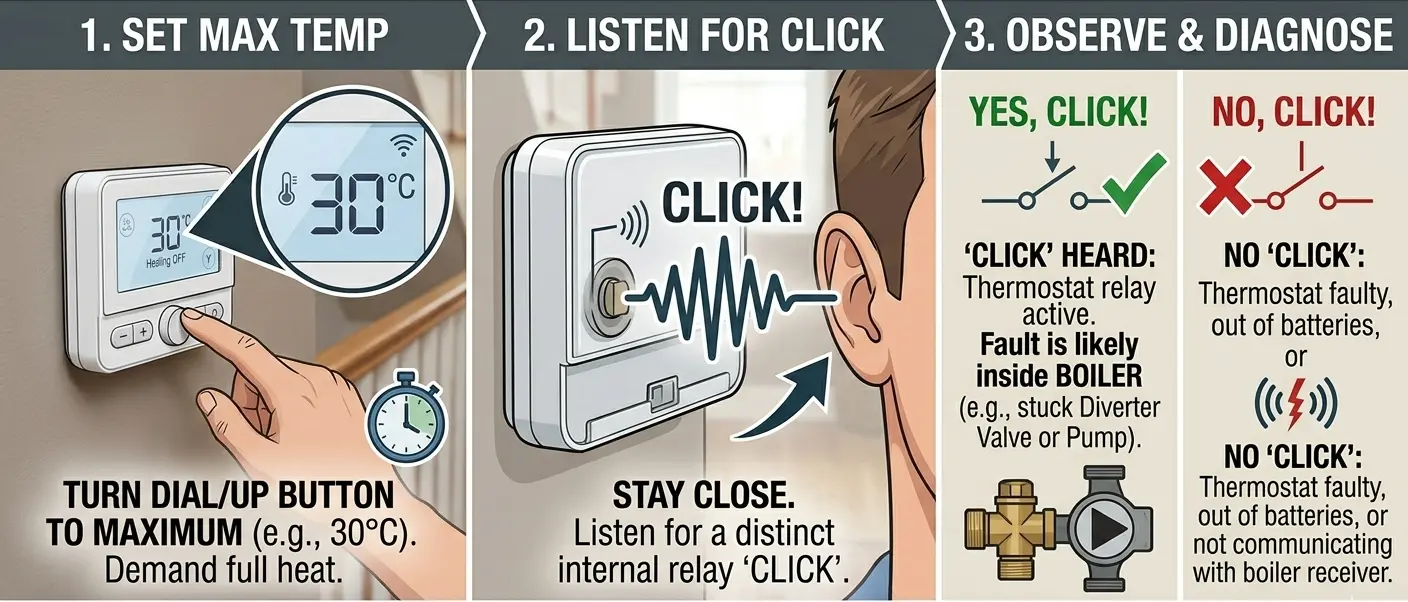
How to Perform the Diagnostic
- Demand Maximum Heat: Stand directly in front of your thermostat and turn the dial or press the 'up' button until the target temperature reaches **30°C**. This forces the unit to send an immediate "Call for Heat" signal.
- Listen for the Relay: Get your ear close to the unit. You are listening for a sharp, mechanical **"Click"**. This is the sound of the internal relay closing the circuit to bridge the 24V or 230V connection to the boiler.
If You Hear the "Click"
The Verdict: Your thermostat is working perfectly. It has successfully triggered the internal switch.
The Likely Fault: The issue is downstream at the boiler. Common UK culprits include:
- Stuck Diverter Valve: The boiler is firing, but the heat is being sent to your hot water tank instead of the radiators.
- Seized Central Heating Pump: The boiler is hot, but the water isn't being pushed around the house.
If There is NO "Click"
The Verdict: The thermostat has failed to activate the circuit.
The Likely Fault:
- Low Voltage: The batteries have enough power to light the screen, but not enough to move the mechanical relay.
- Relay Failure: The internal component has burnt out and the unit needs replacing.
- Signal Loss: On wireless units, the thermostat might be waiting for a "Handshake" from the receiver before it attempts to click.
Pro Tip: If your thermostat clicks but the heating still won't come on, check the pressure gauge on the front of your boiler. If it is below 1.0 bar, most modern UK boilers (like Worcester Bosch or Vaillant) will refuse to fire for safety reasons.
3. Wireless Signal & Pairing Issues: Restoring the RF Link
Wireless Radio Frequency (RF) thermostats rely on a continuous "handshake" with a receiver box, typically wired to the side of your boiler. If this wireless link is broken, your thermostat might show that the heating is "On," but your boiler will remain cold.
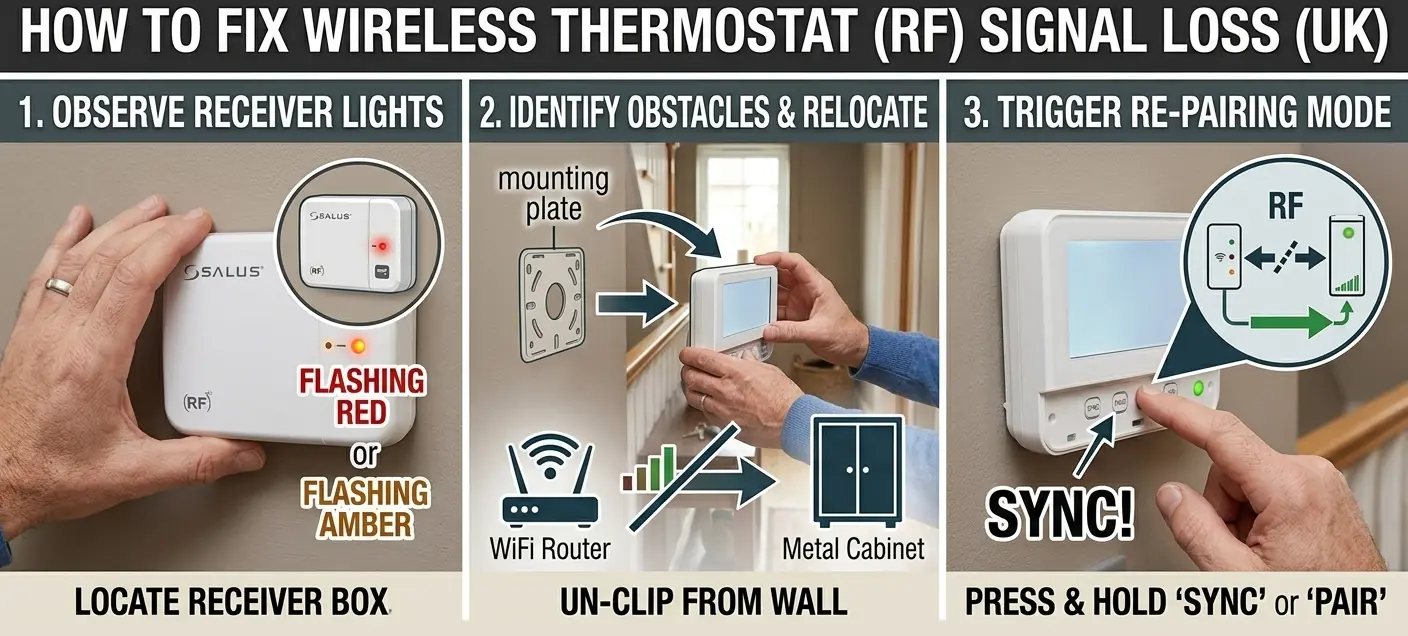
Advanced Signal Troubleshooting
- The "Traffic Light" System: Locate your receiver box (usually a white box near the boiler). A solid green light typically means a healthy connection. A flashing red or amber light indicates the receiver has lost the thermostat’s signal. If there are no lights at all, check if your fuse box has tripped.
- RF Interference & Ghosting: UK homes with thick masonry walls or foil-backed insulation can struggle with RF "dead zones." Common household items like **Wi-Fi routers, large metal cabinets, or even large mirrors** can bounce or block the signal. Try moving the thermostat just 1 metre to the left or right to clear the path.
-
The Pairing Process (The Handshake): If the signal is permanently lost, you must "re-pair" the units.
- Step 1: Put the receiver into pairing mode by holding the main button (often labelled 'Set' or 'CH') until the light flashes rapidly.
- Step 2: Navigate to the pairing menu on your thermostat (check your manual for the specific button combo).
- Step 3: Once synced, the receiver light should turn solid green.
- Check for Frequency Clash: If your neighbour has the same thermostat model, their signal could occasionally interfere with yours. Performing a full factory reset and re-pairing usually generates a new unique RF ID to prevent this.
Essential Diagnostic Tools
| Product Image | Essential Tool | Why You Need It | Action |
|---|---|---|---|
|
High-Drain Alkaline Batteries | Ensures RF signal is strong enough to reach the boiler. | Check Price |
|
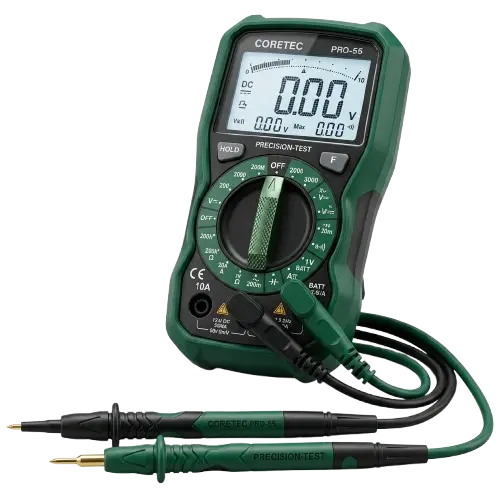
Digital Multimeter | Check battery life and continuity on wired thermostats. | View Guide |
4. Ghost Readings & Placement
Sometimes the thermostat works perfectly, but "thinks" the house is warm. This is often caused by poor placement:
- Direct Sunlight: If a winter sunbeam hits your thermostat, it will read 25°C while the rest of the house is 15°C.
- Drafts: Conversely, if it's in a drafty hallway, it will keep the heating on forever, wasting money.
- Heat Sources: Ensure your thermostat isn't sitting above a radiator, near a lamp, or behind a TV, as these will give false "warm" readings.
Questions & Answers
Real questions from homeowners — answered by our team.
Community Questions
Thermostat FAQ
Why is my Hive thermostat showing a "No Signal" message?
This usually means the Hive Hub (plugged into your router) has lost connection. Try power-cycling your router and then the Hive Hub. If that fails, move the Hub further away from other electrical devices to reduce interference.
Does a faulty thermostat cause the boiler to cycle on and off?
Yes. If the thermostat is poorly calibrated or located in a drafty spot, it will "short cycle," telling the boiler to turn on and off every few minutes. This can damage your boiler's internal components over time.
My Nest thermostat has a blinking red light - what does it mean?
A blinking red light on a Google Nest usually means the battery is critically low and it is trying to charge. If it doesn't resolve within an hour, there may be a fault with the C-wire (power wire) coming from the boiler.
Why is my thermostat blank or completely dead?
A blank thermostat screen is often caused by flat batteries, a tripped fuse, or a power issue with the heating system. Replace the batteries first and check your consumer unit for any tripped breakers.
Can a thermostat stop the heating from turning on?
Yes. If the thermostat is faulty, incorrectly programmed, or set too low, it may prevent the boiler from receiving the signal to start heating your home. Resetting the thermostat can sometimes solve the issue.